
Appearance
Accessing User & System Settings
Click on your profile icon in the bottom left-hand corner of the screen.
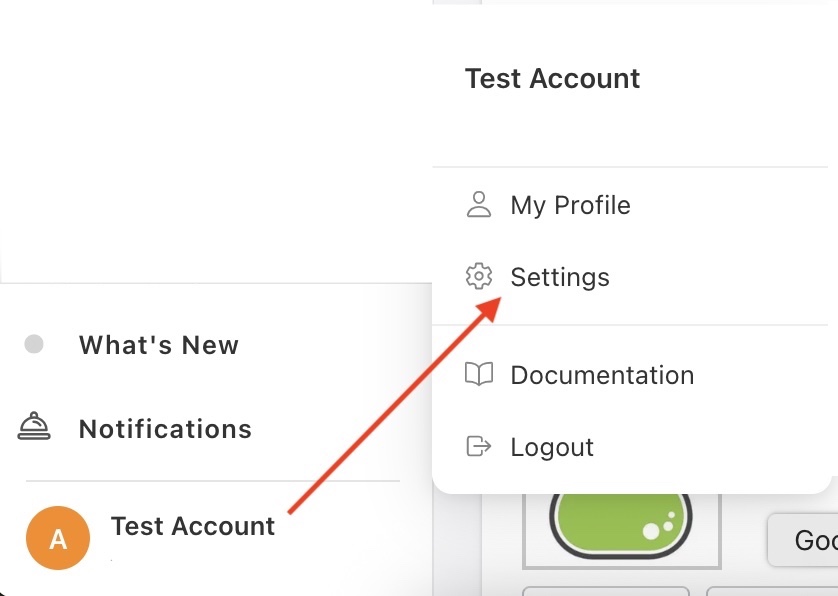
A menu will open up displaying the following options -
- My Profile: Allows users to manage their profile settings.
- Settings: Allows users to manage advanced system settings.
- Documentation: Connects to Wuuii's library of documentation.
- Logout: Enables user to logout from the portal.