
Appearance
Report Access Templates
Report Access Templates provide a secure way to deliver assessment reports to residents without requiring their contact information upfront. This is designed for programs where assessments are completed before the homeowner's identity is known — such as neighborhood fire agency canvassing or aerial assessment programs.
In the navigation panel on the left-hand side of the screen, click on the Templates menu - select Report Access Templates -
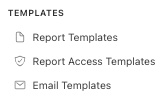
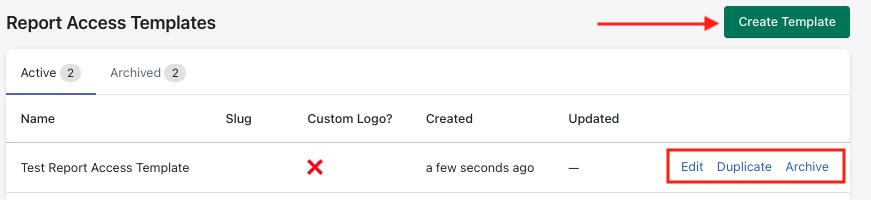
The user will be brought to a view showing a list of Active report access templates currently configured in the system. Click on Edit to modify, Duplicate to create a copy of an existing report access template and Archive to deactivate a template from the system.
The other tab in this view is the Archived tab which shows the archived templates, just click "Restore" to activate, allowing users to reference this template in the system.
Creating a new template
Click the Create Template button to configure a new report access template.
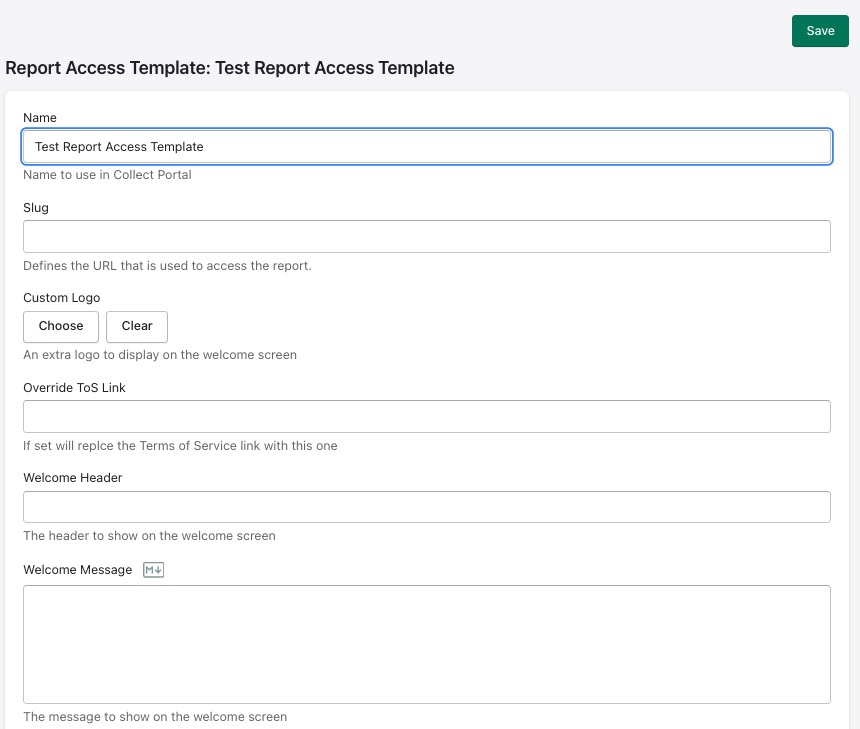
Here are the fields that are available to customize for this new template -
| Field | Description |
|---|---|
| Name | Internal name used to identify the template in the Collect Portal |
| Slug | Defines the URL path used to access the report (e.g. xxx produces report.madronus.com/xxx) |
| Custom Logo | An optional additional logo displayed on the welcome screen. Use Choose to upload or Clear to remove |
| Override ToS Link | Replaces the default Terms of Service link with a custom URL |
| Welcome Header | The heading text shown on the welcome screen when a resident visits the link |
| Welcome Message | A message shown beneath the header on the welcome screen. |
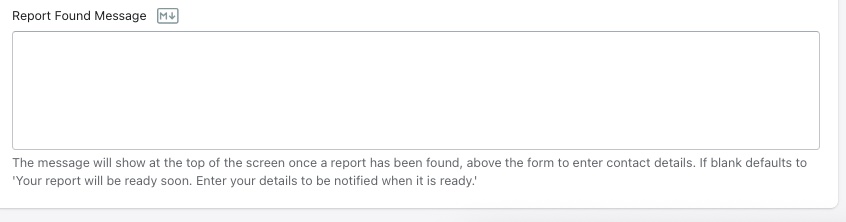
| Report Found Message | The message shown at the top of the screen once a report has been matched to the resident's address, above the form where they enter their contact details. If left blank, defaults to: "Your report will be ready soon. Enter your details to be notified when it is ready." |
Resident Experience
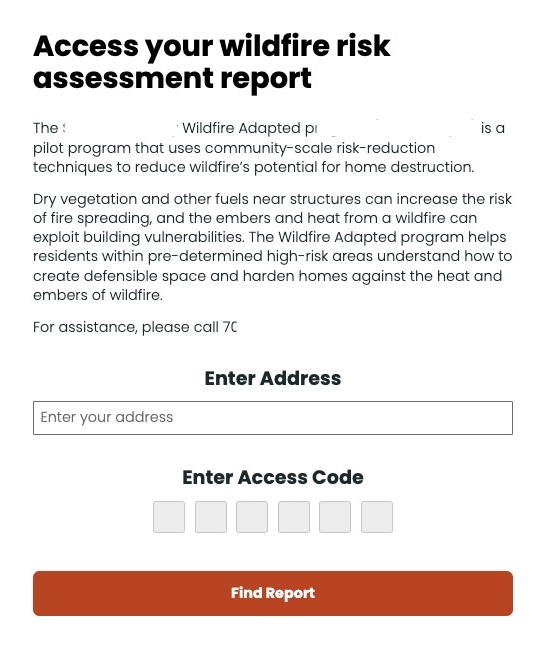
When a resident visits the report access URL, they are presented with a branded landing page that includes:
- A Welcome Header and Welcome Message set by the template
- An Enter Address field where the resident types their property address
- An Enter Access Code field — a 6-character code provided to the resident (e.g. on a door hanger or mailer) that links them to their specific report
An example is shown below. Some information has been redacted to protect organizational privacy.
The M icon indicates Markdown formatting is available. Click on the icon to be taken to a guide showing how to use Markdown.