
Appearance
Assessments Report
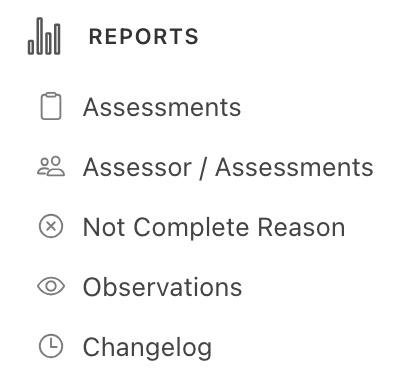
In the navigation panel on the left-hand side of the screen, click on the Reports menu -
The Assessments Report allows users to generate a filtered export of assessment data in their system across any date range.
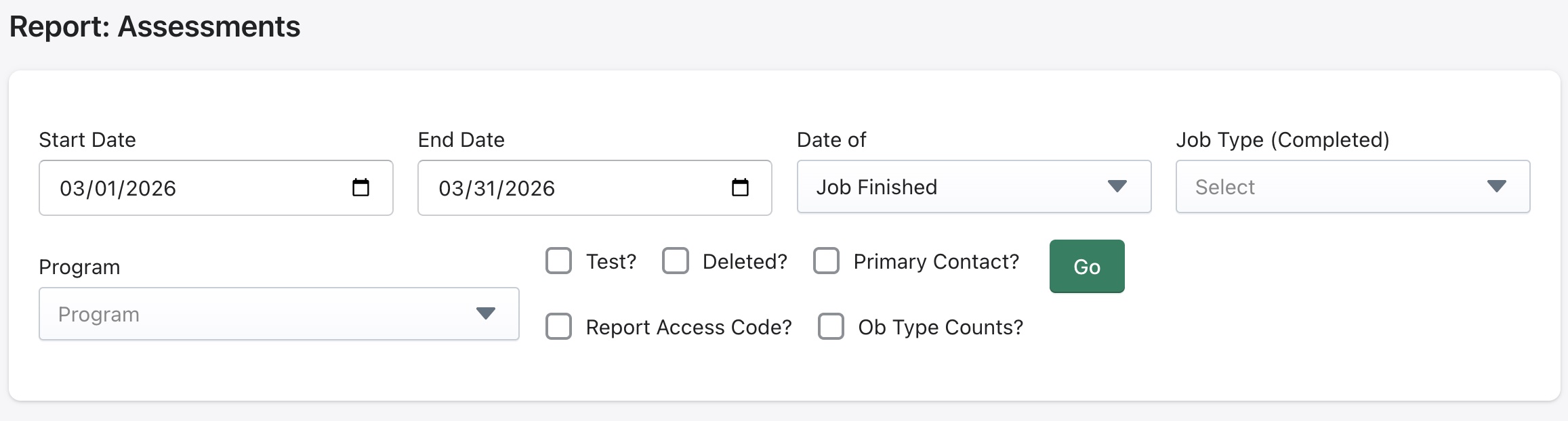
Some filters available for this report are:
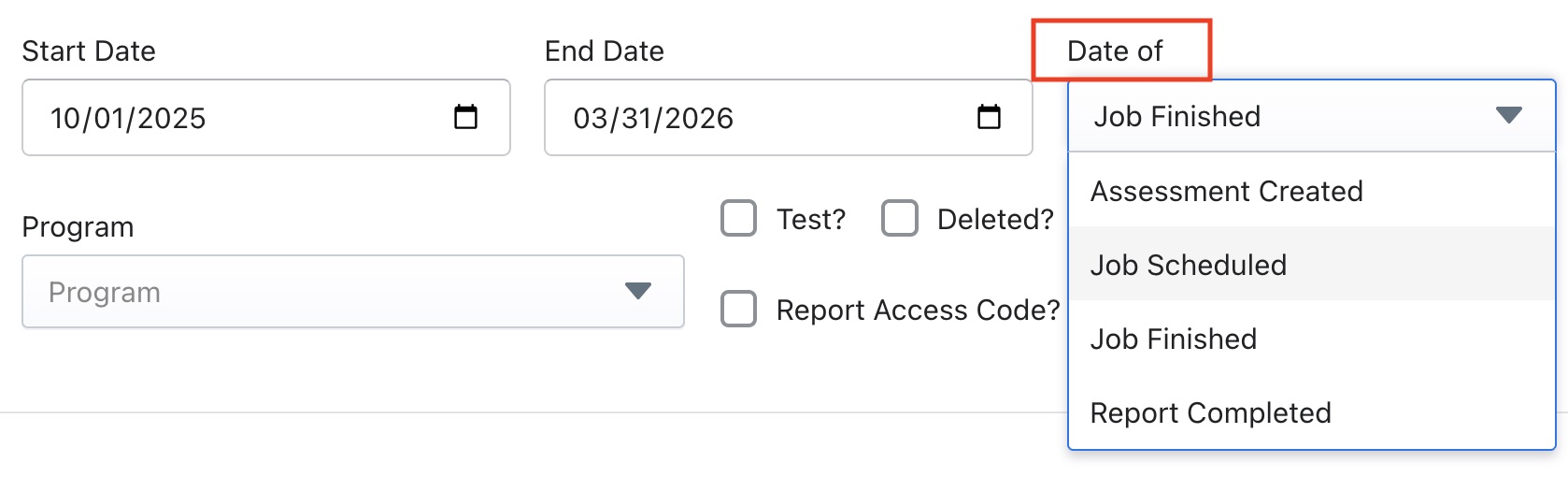
Date of
This filter can be used to look for jobs with different assessment statuses like Assessment Created, Job Scheduled, Job Finished and Report Complete.
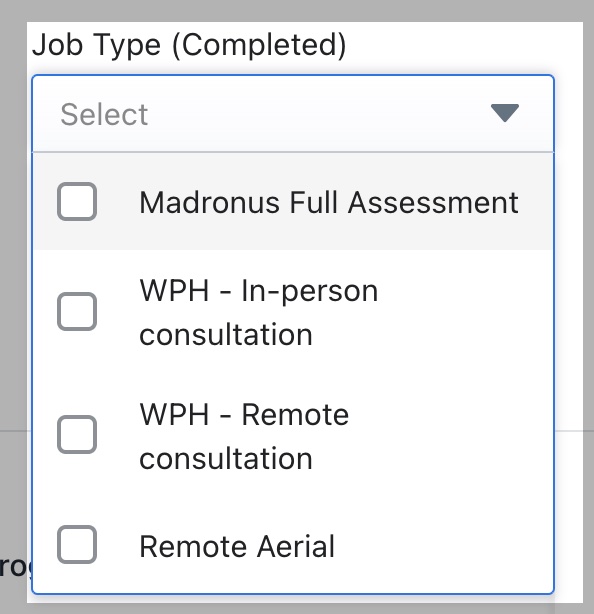
Job Type
This filter looks for completed assessments in the system accross the various job types that have been configured in the system according to the services an organization provides.
Program type
If program types have been configured in the system this filter can be used to bring up program specific assessments.
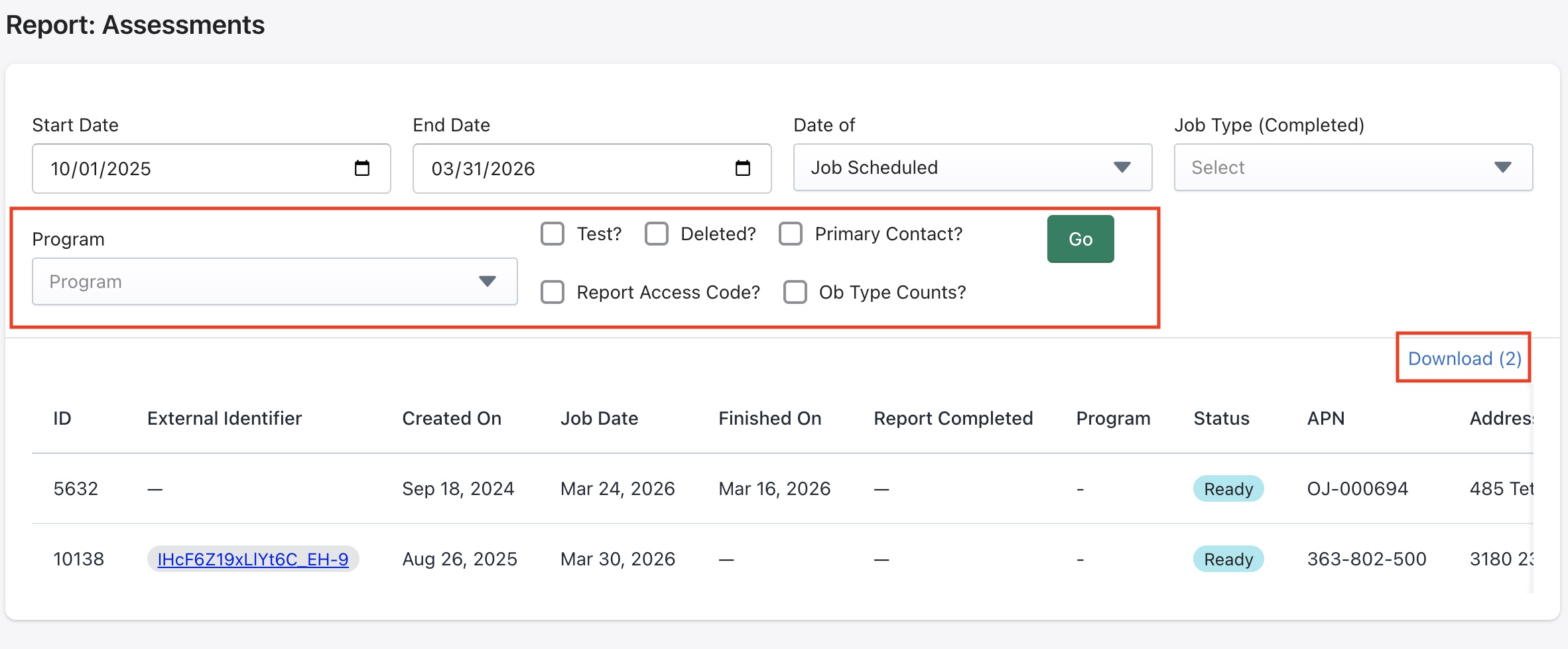
Some other parameters that can be displayed using the checkboxes shown above are
- Test assessment
- Deleted assessment
- Primary contact
- Report access code
- Observation info Click on Go to load report.
The records displayed are also able to be downloaded using the Download button shown above. The downloaded file will be in CSV format, which can then be used in Microsoft Excel or Google Sheets for data analysis and shared with other systems.